Getting Started with Rovo: A Practical Checklist for Teams
Brett Celliers
26 January, 2026

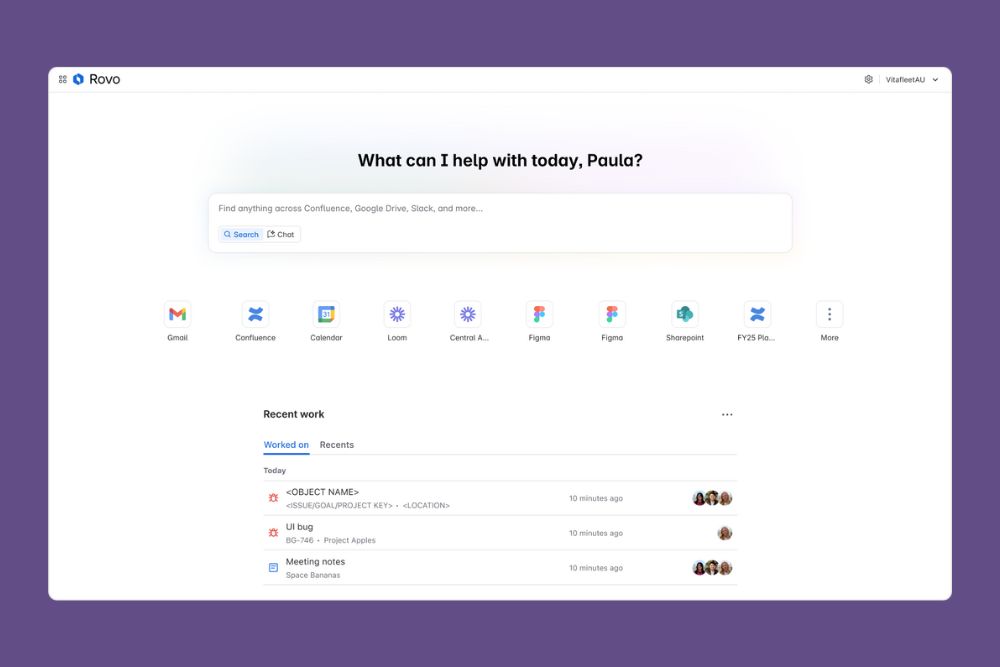
Rovo can feel powerful straight out of the gate, but like any AI capability, the value comes from how well it is set up and how intentionally it is used.
While every organisation’s rollout will look a little different, there are a few fundamentals that make a big difference early on. This checklist covers the essentials to help your teams start using Rovo confidently and avoid common early friction.
First things first: Make sure Rovo is actually available
Before you dive into use cases, it is worth confirming the basics.
Check that Rovo is activated
You should see Rovo apps like Rovo Search and Rovo Chat inside Jira, Confluence, Jira Service Management, or via the app switcher.
If you cannot see them, your Atlassian admin will need to confirm that:
- Rovo is enabled on your site
- Atlassian Intelligence is switched on in the admin hub
This is the most common blocker we see in early rollouts.
Connect your data sources
Rovo is only as useful as the information it can see.
If your admin has configured connectors to other tools, make sure you connect them when you first use Rovo Search. You will see available apps listed in the filters on the right-hand side.
Once connected, Rovo can surface insights across Jira, Confluence, and your broader toolset using natural language queries, rather than forcing users to remember where things live.
Install the browser extension
The Rovo browser extension makes Rovo far more accessible day to day.
It lets users:
- Open Rovo Search or Chat from any new tab
- Access Rovo while working outside Atlassian tools
- Use Rovo Agents directly from the browser
This is one of the easiest ways to drive adoption early, especially for non-technical users.
Understand what Rovo is good at
Rovo is not just one thing, and teams get more value when they understand how the pieces fit together.
Start with Rovo Search
Rovo Search is usually the easiest entry point.
Instead of navigating multiple tools, users can ask questions the same way they would ask a teammate. For example:
- “Where is the latest post-incident review?”
- “What was decided about the new onboarding process?”
Encourage people to try natural language first, then refine using filters once they get comfortable.
Experiment with Rovo Chat
Rovo Chat is where teams start to see productivity gains.
It can help with:
- Answering questions
- Brainstorming ideas
- Summarising content
- Creating Jira issues or other actions
If users are unsure where to begin, the built-in conversation starters are a good nudge in the right direction.
Try a Rovo Agent
Agents are where Rovo starts to feel more purposeful.
If you want a low-risk way to explore this, start with the Rovo Expert agent. It is designed to answer questions about how Rovo works and point users to relevant resources.
You can find it in Rovo Chat by selecting Agents and searching for “Rovo Expert”.
Improve results with better prompts
Like any AI tool, Rovo performs best with clear direction.
Encourage users to:
- Provide context, not just keywords
- Be explicit about what they want as an output
- Use follow-up questions to refine results
Small improvements in prompting often lead to noticeably better answers, especially in Rovo Chat and when working with Agents.
Go further as confidence grows
Once teams are comfortable with the basics, there are a few areas worth exploring next.
- Use filters in Rovo Search to narrow results quickly
- Ask follow-up questions in Chat rather than starting from scratch
- Explore additional Rovo Agents that align to specific roles or workflows
- Understand how permissions and data access affect what Rovo can see and return
These are the levers that turn Rovo from “interesting” into genuinely useful.
Final thought
Rovo delivers the most value when it is treated as part of how people work, not just another feature to turn on.
Getting the foundations right early makes adoption smoother, builds trust in the outputs, and sets teams up to use AI in a way that actually supports their day-to-day work.
If you want help rolling Rovo out across your organisation, or shaping use cases that make sense for your teams, reach out - we can help.
Recent Posts

Using Service Collection in 2026? Here’s What Should Be on Your Roadmap

JSM Feature Face Off: The 2025 Updates Our Experts Actually Rate