Where Should Your AI Actually Live? Key Takeaways from Our Panel
Darren Celliers
06 November, 2026

If you’ve tried counting how many of your tools now have an AI button in them, you’ve probably given up somewhere around six.
AI is in the chat tool, the project tool, the CRM, the service desk and the browser. Some of it you switched on. A lot of it switched itself on. And more and more of it is moving from “included in your licence” to “billed by usage”, which is when finance starts asking questions.
So where should AI actually live? Inside each app, close to the data? In one layer across everything? Or somewhere else entirely?
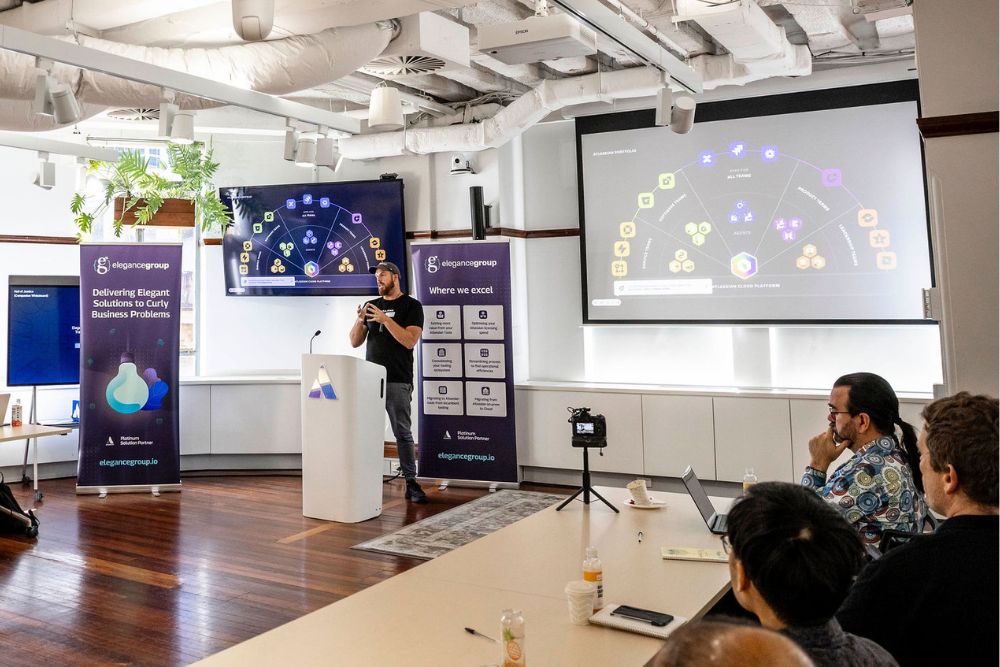
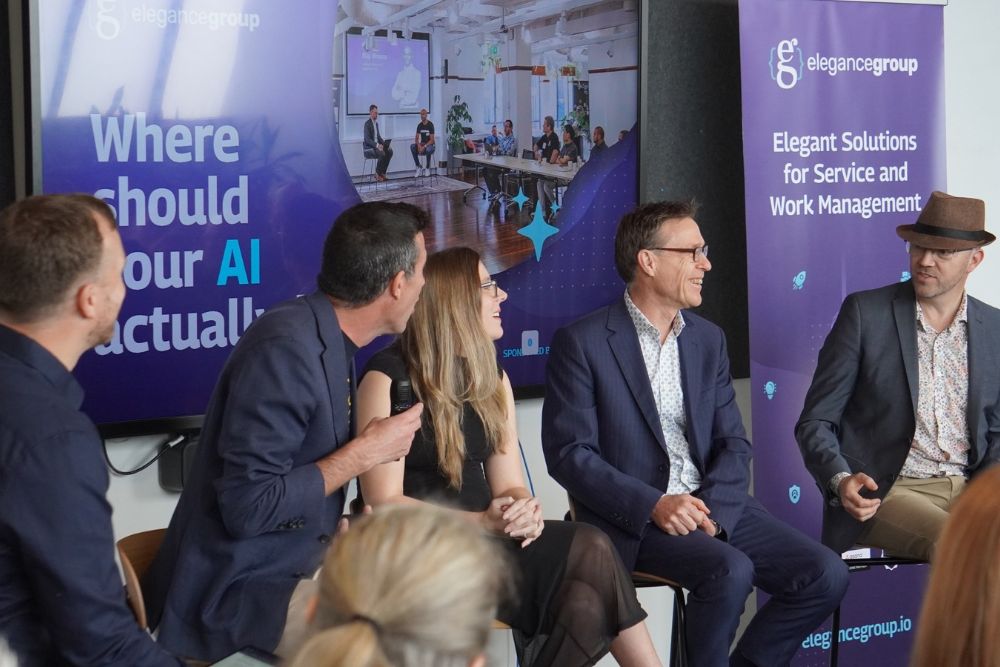
That was the question on the table at our breakfast panel at Icehouse in Parnell on Thursday 29th October 2026, sponsored by ClickUp. Our own Brett Celliers hosted, and he was joined by:
- Justin Flitter, Founder and CEO, AI New Zealand
- Jess Blake, Manager of Technical Account Management and Solutions Engineering APAC, ClickUp
- Simon Casey, CIO, Barfoot & Thompson
- Tim Warren, AI Strategist and Keynote Speaker
It was a lively hour, with plenty of honest answers and a few good stories. Let’s take a look at what came out of it, where the panel agreed, where they didn’t, and what they’d do first if they were starting from scratch.
No Guidelines Means People Either Freeze or Go Rogue
Tim kicked things off by calling the current state of AI “the Wild West”. Lots of opportunity, lots of money being made, and a few bodies left behind along the way.
His point was simple. People will make their own choices until you give them better options than the ones they can find themselves.
Justin agreed, and described what that looks like on the ground. Without clear guidelines, people tend to go one of two ways:
- They don’t use anything at all, for fear of getting it wrong.
- They do their own thing, with unapproved accounts and personal tools, and sensitive customer or company information ends up somewhere you have no control over.
The second group usually means well. They’re trying to be more productive, and good on them for that. But it still needs to be managed and measured.
Tim went a step further. Trying to control people doesn’t work, he said. If they find a tool that makes their day easier, they’ll use it, even if that means running ChatGPT on their own phone. He admitted that back when he worked at Microsoft, he used Netscape. It was the right tool for the job.
So the job isn’t locking everything down. It’s teaching people the principles of doing the right thing, and giving them approved tools that are good enough that they don’t need to look elsewhere.
In-App AI Only Knows What’s in That App
This was the heart of the session. Should AI be built into each tool, or sit in one layer across everything?
Jess framed it around adoption. Every team has an AI rockstar who burns through credits and has a library of great prompts. Most teams also have people who aren’t using it at all. When AI is embedded in the workflow people already use, it becomes part of their day without them having to go looking for it. Everyone gets the benefit of that great prompt, not just the rockstar.
Justin described it as a shift from “lots of tools to do the same task a bit faster” to actually changing the way people work, with AI in the loop.
Simon added the catch. Every SaaS vendor is putting AI into their product, so you’re getting it whether you like it or not. But that AI only works on the data in that system. If your business runs on lots of siloed systems, you’ll get some productivity gains in each one, which might be fine for now.
The bigger prize, in his view, is AI that has the whole business context. No more jumping into one system for the sales report, another for email and a third to see what’s planned next month. Barfoot & Thompson is already assessing how to bring company data from its different systems into one environment, safely, so it can build workflows across any part of the business.
Tim then raised a question most people hadn’t considered. “Where” isn’t just about which app. It’s a physical question too. As he put it, the cloud is just someone else’s computer. He expects organisations that take privacy seriously to run more AI locally, on their own infrastructure, trained on their own data.
Don’t Fall in Love With One Model
When the panel was asked whether multiple AIs compete or compound, the answer was mostly “compound”.
Justin pointed out that running the same question through several models is already common. Some tools now do it for you and consolidate the answers. It’s also handy to have one AI check another’s work before a human or two takes a look. As he put it, what’s the point of having five friends if they all say the same thing?
Jess compared it to getting a second opinion from a doctor. Models are changing so quickly, and what they’re good at shifts so often, that being locked into one means you only move as fast as that one vendor does.
There’s a cost angle here too. Different models use different amounts of tokens for the same task. Justin suggested testing whether a smaller, cheaper model does the job before defaulting to the biggest one.
Simon summed it up: nothing in this space is certain, so make sure you’re in a position to route to different models and change your toolset as things move.
Tim called the alternative “one-itis”, like a rugby selector with a favourite player. Great until they’re injured, too old, or don’t turn up to training.
The Honeymoon Period Won’t Last
Across most of the big platforms, AI is moving from being bundled into a seat licence to being billed by usage, through credits, actions and agent runs.
Justin described it as AI shifting from an IT licence to an operating cost, a bit like electricity. That changes the conversation. The question stops being “why is this number going up?” and becomes “what are we getting for it?” In his words, we need to cost outcomes, not headcount.
Jess was blunt about where this is heading. Right now we’re in a honeymoon period, and people are going a bit nuts with credit spend. But a reckoning is coming when CFOs start looking at those line items. She mentioned a CIO at a large Australian company who had spent a million dollars in credits in a single quarter and couldn’t say what they got for it.
She’s also seeing organisations look much more closely at spend by department, and even by individual. But high usage doesn’t automatically mean high value. Someone burning through credits might be automating half their job. Or they might be checking the cricket score and asking for dinner recipes.
Tim’s take? We’ve been here before. Anyone who’s had an AWS bill creep up on them knows the pattern. The first hit is free, you move more and more across, and one day you realise you need a whole customer just to pay for the servers. The difference, he said, is that most AI tools are much easier to leave than a cloud platform with 37 integrated services.
Build in Margin, and Define ROI at the Start
Simon shared one of the most practical lessons of the morning. In Barfoot & Thompson’s early AI projects, he made sure there was plenty of margin in every business case.
If a project costs $50 to run and only returns $50, it doesn’t go ahead. If it costs $50 and returns $300, there’s room for token prices to move and the product still stands up. And token prices could go either way. They might fall as the technology improves, or rise as those hundred-billion-dollar investments look for a return.
His first big win is a good example. Barfoot & Thompson built an AI tool to help write property ads, got it into production in three weeks and won an award for it. They write hundreds of ads a month, often by salespeople and property managers who’d rather be doing anything else. The token cost was tiny. The return was huge.
On forecasting, the panel was honest. Simon called it extremely difficult. You can look at last month’s bill, the trend and what’s in the pipeline, but predicting token consumption, especially across several initiatives at once, is hard.
Tim’s answer was to flip it around. Most organisations try to work out ROI at the end. He defined it at the beginning. Agree what job the AI is doing, what it should cost and what it should deliver, then measure it like any other project. It’s not an AI problem. It’s just good governance.
Simon agreed, adding that he’s written business cases and decided not to go ahead. That’s the point. A good business case makes you think about ongoing costs, depreciation, risks, and what happens if the project runs six months late.
Tim also raised the capex versus opex question. Many CFOs dislike consumption-based costs because they hit the books straight away, long before any return shows up. That’s one reason some organisations are looking at owning their own infrastructure. But it comes with its own risk. If the payback period is longer than the useful life of what you’ve built, you’ve got a problem. In AI, that life might only be two years.
AI Can See More Than You Think
When Brett asked what organisations are actually exposing when they switch AI on, Justin’s honest answer was: a lot more than most people think, to more parties than they realise, and usually not in New Zealand.
He broke it down:
- What you type, your prompts and the files you share.
- What the AI can reach, which is anything the user or organisation has given it access to.
- What it remembers, including chat history, project files and agent logs.
- What agents do, because agents don’t just read, they write records, send messages and call other tools.
The internal risk is just as real. If your access permissions aren’t in order, switching on an AI assistant can surface documents to people who were never meant to see them. Justin’s example was someone asking about an HR complaint and getting an answer they should never have had access to.
Jess added a newer concern. With tools that let anyone build an app, she’s seeing people with no security background build their own tools, often with sensitive data inside. It’s worth knowing what your team is actually building and using.
Her prediction? If you work in cyber security, you’ve got a job for life.
Governance Isn’t Harder, It’s Overdue
Does AI make governance riskier? Tim didn’t think so. You’ve just got to do your job, he said, and a lot of people haven’t.
He sees plenty of boards that need to upskill, and some that would rather learn off the record than ask the question in a board meeting. It’s not unlike the early days of cloud, when CIOs and CTOs had to drag boards along with them.
Simon offered a more balanced view from inside a 2,800-person business. He encourages risk-taking, not carelessness. A long list of rules that stops anyone doing anything isn’t governance, it’s standing still.
Some of the best ideas at Barfoot & Thompson are coming from the branches. One branch team has started using ClickUp to save time on their own initiative, and Simon’s response is to get alongside those people and scale what’s working. In his words, he doesn’t have all the ideas. The ideas are in the workforce.
Teach the Skills Before Handing Over the Tools
One attendee asked a question plenty of people in the room were clearly thinking about. They’d started a Copilot pilot with 20 licences and were already at around $100,000 in licensing, with credits running out. How do you encourage AI use without the cost getting away from you?
Jess suggested looking for repeatable work. If ten people on a team are running the same ten prompts, an agent can take over that process instead. Workflow discovery helps you find those patterns, and good admin controls let you manage who can build agents and which models they use.
Simon shared Barfoot & Thompson’s approach. Every staff member has Gemini through their Google Workspace account, which took their licence from $95 to $145 per user per year. So about $50 per person, per year, for everyone to have AI. Alongside that, they run an in-house training programme. It’s not a course on prompting. It’s a course on getting AI to do real work.
Justin finished with a line that stuck: you wouldn’t hand someone the keys to a Maserati without checking their licence. He’s seeing more organisations ask for foundations training before the tools. That means knowing what questions to ask, when to raise a red flag, which model suits which task, and how to handle commercially or culturally sensitive information.
Where to Start
To wrap up, Brett asked each panellist the same question. If you were setting your AI direction from scratch on Monday, what’s the first thing you’d do?
Justin was clear that there’s no single right answer. It depends on your people, your processes, your risk profile and how you govern. Here’s where each of them would begin:
- Justin: stop buying AI tool by tool. Map where your data lives, who has access to it, and what data you need to make good decisions. Then own that layer yourself, and keep it flexible enough to swap models.
- Jess: work out your AI maturity. Who are your rockstars? How many of your tools already have AI? What business outcomes should your credit spend be tied to? Understand where you are, map where you want to be, and build the case for the board.
- Simon: know your time horizon. Is this a quick win where you only need to think two years ahead, as long as you can get out if you need to? Or a long-term decision? And what does “long-term” even mean now, three years or five?
- Tim: find people you trust. After coffee, of course. The questions haven’t really changed. Find good people and partners who cover your gaps, and don’t lock yourself into one tool before you’ve tried a few.
If there was one thread running through all four answers, it’s that the technology choice comes second. Start with your data, your outcomes and your people.
What We’re Taking Away
We work across Atlassian, ClickUp, Asana and Freshworks, and every one of them has AI built in and wants to be the place your work happens. So we hear the “where should AI live?” question a lot.
Our honest answer is the same one the panel landed on. It depends. In-app AI is a great starting point when most of your work already happens in one platform, because it’s close to the data and people use it without changing how they work. It’s less useful when your data is spread across lots of disconnected systems, and that’s when it’s worth thinking about the layer above.
Either way, the groundwork is the same. Get your data and permissions in order, know what you’re spending and why, and give people the skills before the tools.
A big thank you to Justin, Jess, Simon and Tim for giving up their morning and being so open, to everyone who came along for an early start, and to ClickUp for sponsoring. If you came along to the NZ ClickUp Community Meetup that evening too, thanks for making it a full day.
Watch the Full Session
This recap only scratches the surface. There were plenty more stories, side tangents and good-natured disagreements than we could fit in here.
If you couldn’t make it on the day, or want to hear any of it again, the full panel recording is up on YouTube: