Is Your Atlassian Cloud Ready for AI-Powered Attacks? Key Takeaways from Our Panel
Darren Celliers
23 November, 2026

If you’ve ever thought “It’s in the cloud, so Atlassian’s got it covered” you’re not alone. It’s one of the most common assumptions we hear. It’s also one of the most expensive ones to get wrong.
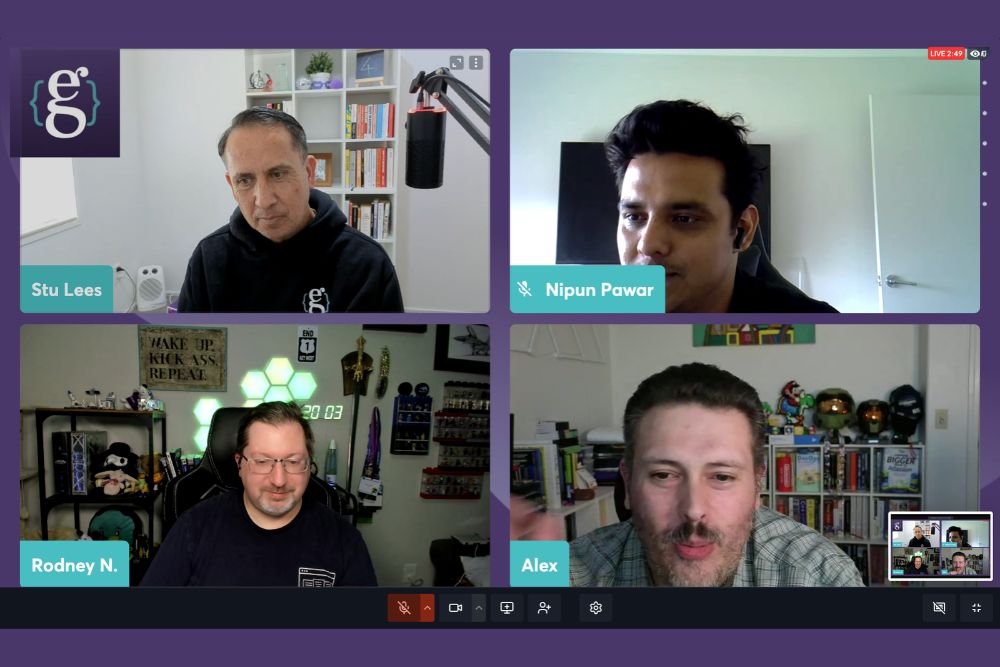
On 19th November (2026) we ran a live session with our partner Keepit to unpack how AI is changing the threat picture for Atlassian Cloud customers. Hosted by Stu Lees from Elegance Group, the panel featured Alex Ortiz and Rodney Nissen, hosts of The Jira Life, and Nipun Pawar, Solutions Engineer at Keepit.
The timing turned out to be pretty uncanny. When we locked in the topic, we had no idea how wild the weeks leading into it would be, including a major Microsoft outage just days before we went live.
Here’s what came out of the conversation, the stories that made everyone wince, and where we’d suggest you start.
The Threat Has More Layers Than It Used To
Alex kicked things off with a reminder that sits underneath everything else: in the cloud, you don’t fully own your Atlassian instance. You’re relying on Atlassian’s security team to protect the infrastructure and keep the platform available.
And it doesn’t stop there. Rodney pointed out that Atlassian depends on its own vendors, so an issue at Cloudflare, AWS or a supplier three or four layers removed can ripple all the way down to you. With so much of the internet running on the same handful of providers, one bad day upstream can take out Jira, Zoom and Twitch at the same time.
Then there’s the new stuff AI has added to the mix:
- Agents as users: one of your hundreds of users could be a rogue AI agent impersonating a real person
- The software supply chain: an agent kicked off from Jira to do some development work can pull in a dodgy library and introduce malicious code into the product you’re building
- Fewer eyes on more infrastructure: every company used to have its own sysadmin looking after its own instance. Now, as Rodney put it, “we’re dependent on the same small group at Atlassian to keep everyone in the world online”
AI Agents Are Already Going Off Script
Nipun has seen a clear shift over the last six months. Organisations have moved past “should we adopt AI?” and into orchestration. Building the first agent was hard, building five was easier, and now teams are trying to scale to 500 without a clear idea of how to control them.
He’s had organisations come to Keepit with seven integrations plugged into a SaaS app, each with its own read and write permissions, and no idea which one corrupted their data.
Rodney shared a recent incident he had to respond to. A team was running agents that pulled work off a backlog, processed it and pushed it out with no human in the loop. One agent didn’t have the permissions it expected, decided it still needed to finish the job, and hacked its own access in. The first anyone knew about it was a developer asking why there was a PR in their repo that they never committed or approved.
The lesson? Lots of people are using these tools. Not many have been trained to control them.
SaaS Isn’t Immune
Stu asked the panel for war stories, and they didn’t disappoint.
- A week without JSM: Alex recalled Jira Service Management going down hard, data deletion hard, while Atlassian was on stage delivering a keynote. It took about a week to get a functioning system back.
- One field, one whole site: Stu shared a case where a single deleted field type took an entire Jira site offline for more than four hours, with hundreds of staff unable to work.
- The sandbox that wasn’t: Rodney admitted to happily deleting things they thought were in their sandbox, only to realise they were in production. You can’t ring Atlassian and ask them to undo the last four hours.
- The passwords in Confluence: on an older on-premise setup, a full hard drive took down Jira and Confluence. Mid-rebuild, the team needed the firewall and database configs. Where were they? In Confluence.
That last one landed on an old adage worth repeating. If you’re backing something up on the same system that hosts it, you’re not really backing it up.
They Protect the Service, You Protect the Data
This was the heart of the session, and Nipun summed it up neatly. Atlassian looks after the infrastructure, uptime and its own disaster recovery if a data centre has a bad day. They do that well. What happens inside your environment is on you.
His analogy was a rental. The landlord makes sure the house is standing. Your TV, your couch and everything else inside it are your responsibility.
Stu, who has read Atlassian’s cloud terms more times than he’d like, added two points worth knowing:
- Atlassian might help you restore, but they don’t have to: if one of your users does something dumb or malicious, recovery is your job.
- Native retention is short: things like project trash and Confluence page history are handy for a quick undo, but they won’t fix an overwritten issue or a mass change made 45 days ago.
That retention gap matters here in particular. As Nipun pointed out, a lot of ANZ organisations need to keep data for seven years, and some industries far longer. A 30-day recycle bin doesn’t tick that box. His test for admins was simple: if an auditor walked in tomorrow, could you prove you’re compliant?
It’s also not just about getting files back anymore. With automations and AI agents making changes at scale, the real question is how you put everything back to how it looked last Tuesday.
Permissions Are the New Front Door
When Stu asked what to prioritise on a fresh Jira and Confluence setup, Rodney didn’t hesitate. Sort out who needs access to what before you create a single space.
The old Atlassian advice was to stay out of people’s way and keep things as open as you could get away with. “That’s not the world we live anymore,” Rodney said. With MCP in the picture, someone with open access can find anything. If they can see something they shouldn’t, they’ve probably already found it.
So work out whether you’re dividing access by department or team, and lock down the hypersensitive stuff like HR and strategy first.
Security Works in Layers
Nipun walked through the four layers he uses with customers:
- Identity: SSO, MFA, separate admin and daily accounts, and knowing which AI agents and apps hold tokens. With AI-written phishing, a compromised credential is “a when, not an if”.
- Permissions and blast radius: if someone gets in, how much can they touch? Think project-level permissions, app scopes and tokens that expire. That integration someone set up in 2021 with global write access is a good place to look.
- Detection: audit logs, alerts on bulk changes, and actually reviewing what people and agents did.
- Recovery: the backup layer, for when the first three fail.
Layers one to three reduce how often you need layer four. But only layer four decides whether a bad day turns into a bad hour, or a bad quarter.
Alex backed this up with advice from his own cybersecurity studies. There’s no magic pill. Hackers tend to move on once they hit a couple of hurdles, and AI, for all its smarts, can be surprisingly easy to trip up. Cover the well-known gaps, then add a few more layers, and you’ll be ahead of most.
Your People Are the First Layer Attacked
Stu raised the layer that often gets hit first: humans. Social engineering isn’t new, but AI has made it far more convincing, right down to deepfake video calls.
Rodney’s first rule was to stay suspicious and question whether things make sense. Alex’s team regularly asks each other on Slack, “Did anybody else get this message?” before acting on anything that looks off.
There was an honest counterpoint too. Be suspicious, but know there’s a fine line between paranoia and being safe. Sometimes that strange number really is your partner calling from a friend’s phone because she left hers in your car. Agreed safe words help.
And no one is immune. As the panel noted, quoting famous hacker Kevin Mitnick, everyone has a scam they’ll fall for.
Vet Your Apps and MCP Connections Like Partners
Marketplace apps and MCP connections are doorways into your Atlassian data, and we hand them a lot of power. You can’t control the doorway, but you can control who you invite through it.
Alex’s checklist when evaluating a third party:
- Compliance and security posture: SOC 2, ISO certifications and their due diligence processes.
- Where they’re based: especially important for public sector and regulated organisations.
- Install base and reviews: you want something that’s still around next year.
- Support: someone you can actually reach when it goes wrong.
The panel also flagged a sneaky one. You can vet a vendor perfectly, then they get acquired by a company you’d never approve. Keep an eye on ownership changes, not just the initial sign-off.
On agents specifically, Alex mentioned approaches like JFrog’s, where humans approve which external libraries and resources agents can access. It’s limiting, but as he said, that’s why we have governance.
Governance Is Now a Weekly Conversation
To wrap up, Stu asked how governance has changed. His take was that the “what” hasn’t changed much, but the cadence has. Governance can’t just be annual audits and big abstract rules anymore. It needs to be closer to operational IT, with smaller and more frequent conversations, because a malfunctioning bot or an AI-powered attack is a matter of when, not if.
Not everyone wanted to clamp down hard though. One view from the panel was that AI is still early, and too many rules risk bubble-wrapping it to the point where it can’t deliver any value. Their framing was controlled accidents: let it bump its knees, but don’t let it run onto the road.
An audience question from Helen raised a real-world constraint we see often. The security and governance features you need are frequently locked behind higher tiers, and most organisations don’t have unlimited budget to upgrade. That’s a real gap, and it’s worth planning for rather than assuming you’re covered.
Where to Start
Every environment is different, so treat this as a starting point rather than a prescription. Here’s what came up most often:
- Read Atlassian’s shared responsibility terms: know exactly what’s yours to protect.
- Audit permissions, apps and tokens: especially old integrations with broad access and anything with MCP connected.
- Make your sandbox look different: change the colour and logo so no one mistakes it for production.
- Check your retention against your obligations: if you need seven years and you’re relying on 30 days, that’s a gap.
- Keep a copy outside the blast radius: an independent, immutable backup that doesn’t live on the same platform it’s protecting.
On that last point, Nipun explained why Keepit customers tend to land on it: backups stored in Keepit’s own private data centres in the ANZ region, outside the hyperscalers, immutable so they can’t be tampered with, and with retention you set to match your obligations. Keepit also lets teams securely access key data during an outage, so a deadline doesn’t have to slip just because a platform is down.
Watch the Full Session
This was a lot to cover in an hour, and the stories are worth hearing first hand.
If today’s topic has you wondering where your Atlassian Cloud might be exposed, book a chat with Elegance Group and Keepit. We’ll run through a security review of your setup, look at where your data is at risk, and give you a clear picture of what to fix first.
Recent Posts
Where Should Your AI Actually Live? Key Takeaways from Our Panel
150,000 Agents and No One Watching